Actuarial Data Science - Open Learning Resource
Some coding examples in this lecture are adapted from R for Data Science (Wickham, Çetinkaya-Rundel, and Grolemund 2023).
ggplot2 patterns that you can reuse in many different actuarial and business contextsEDA is an iterative cycle. You:
Data Visualisation is arguably the most important tool for EDA
“Visually attractive graphics also gather their power from content and interpretations beyond the immediate display of some numbers. The best graphics are about the useful and important, about life and death, about the universe. Beautiful graphics do not traffic with the trivial.”
— Edward Tufte, The Visual Display of Quantitative Information
ggplot2ggplot2 is part of the tidyverseggplot2 to visualise your datapackage::function() to call functions explicitly, e.g. ggplot2::ggplot()mpg data frame in ggplot2 (ggplot2::mpg)
mpg contains observations collected by the US Environmental Protection Agency on 38 popular models of cars from 1999 to 2008manufacturer: manufacturer namemodel: model namedispl: engine displacement, in litresyear: year of manufacturecyl: number of cylinderstrans: type of transmissiondrv: type of drive train, where f = front-wheel drive, r = rear wheel drive, 4 = four-wheel drivecty: city miles per gallonhwy: highway miles per gallonfl: fuel typeclass: vehicle classSee also: A complete ggplot “sentence”; Local mpg plot
ggplot() using the pipe operator %>%Run ggplot(data = mpg). What do you see?
How many rows and columns are in mpg?
What does the drv variable describe? Read the help for ?mpg to find out.
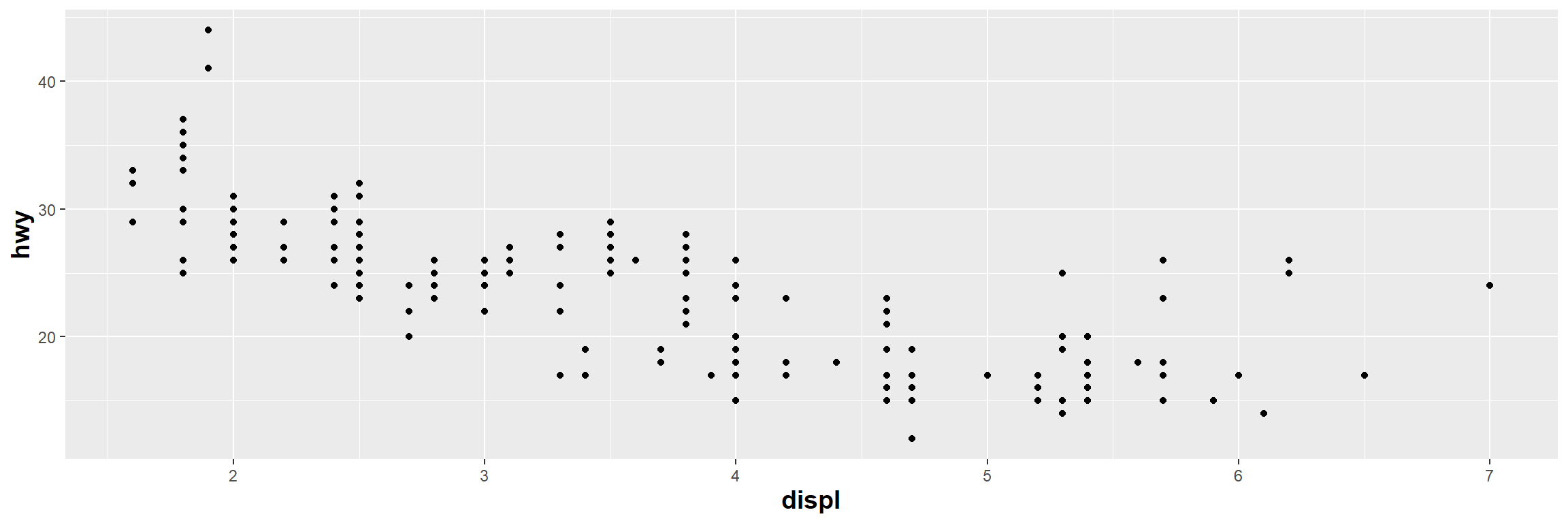
Create a scatterplot of hwy vs cyl.
What happens if you make a scatterplot of class vs drv? Why is the plot not useful?
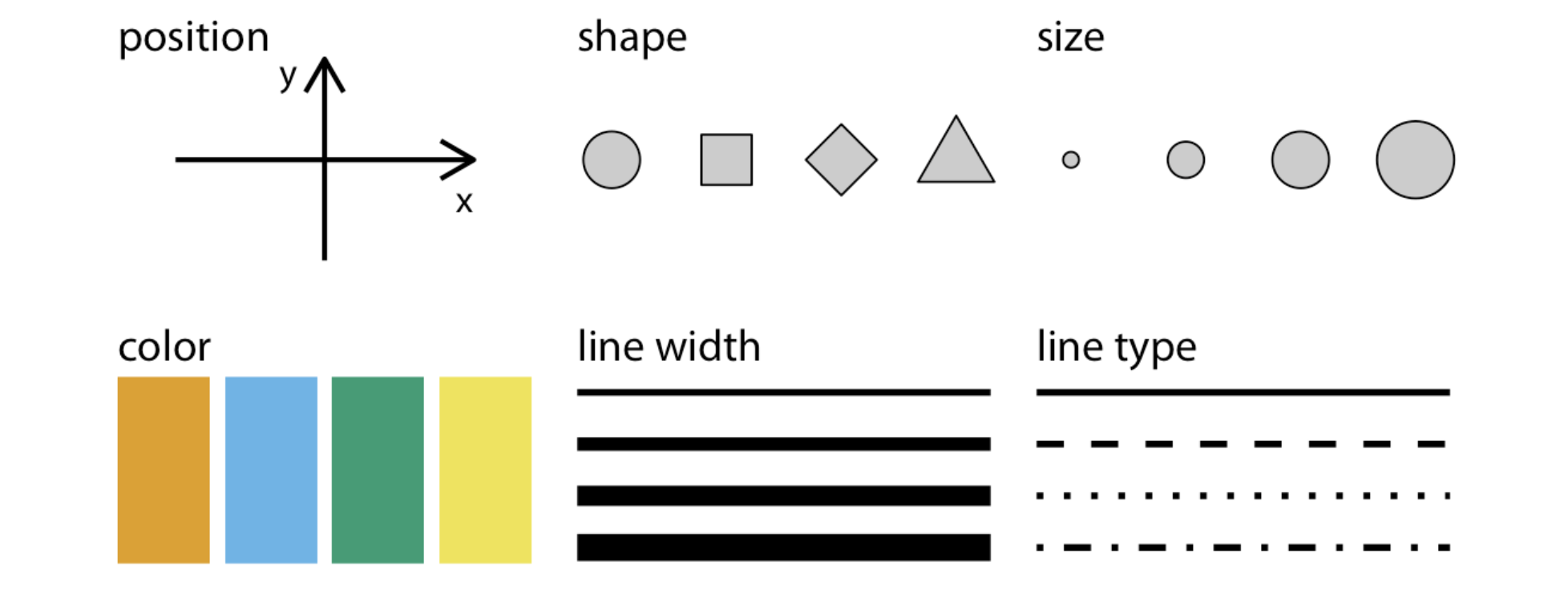
A main pool of aesthetics (Source: Wilke (2019), Fundamentals of Data Visualization)
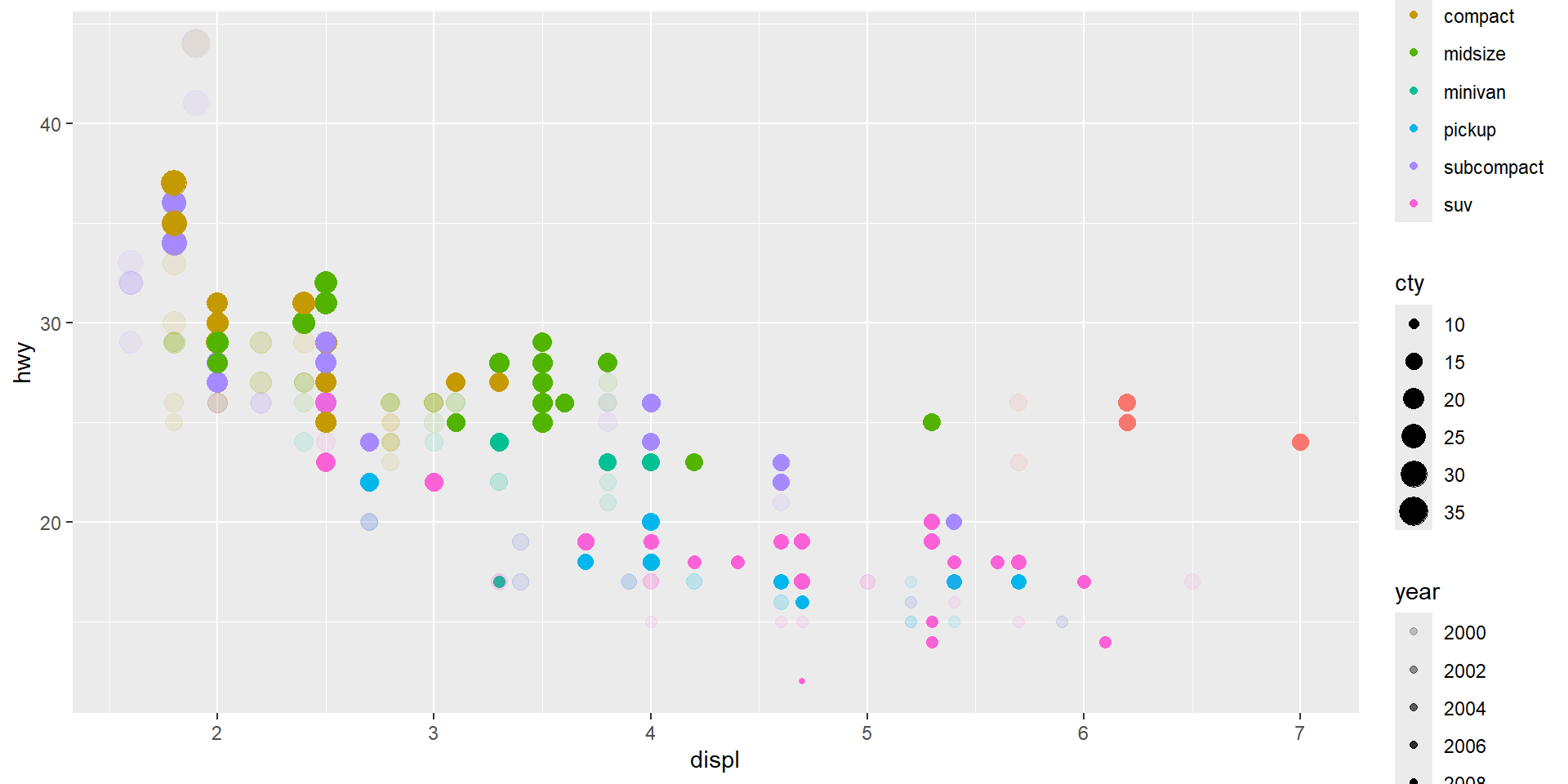
aes() means ‘Ask’aes(): What variables are we asking the aesthetics (colour, position, shape, etc.) to represent?aes(colour = gender): “Please represent the variable gender using different colours.”mpg_plot= ggplot(data = mpg) + # the dataset
aes(x = displ) + # the x position
aes(y = hwy) + # the y position
geom_point() +
#the point geometric shape, the above aes are required and
#the below are optional
#theme(axis.title=element_text(size=14,face="bold"))+
aes(colour = class) + # colour for type of car
#aes(shape = class) +
#ggplot2 will only use six shapes at a time. By default,
#additional groups will go unplotted when using 'shape'.
aes(size = cty) + # Size for city miles per gallon
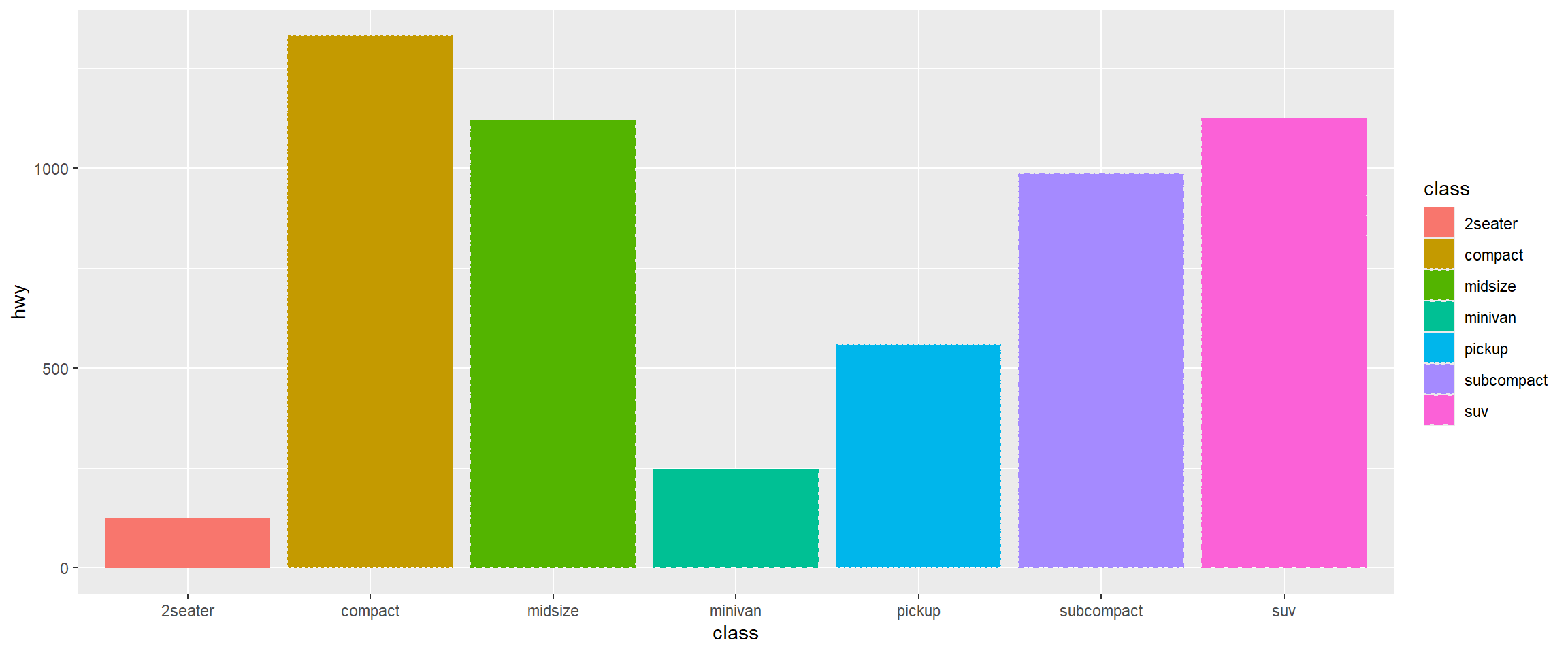
aes(alpha = year) # transparency for year of manufactureDifferent geometric objects use different aesthetic properties. For example, column plots often use fill to distinguish groups.
# Create scatter plot with base layer
mpg_plot <- ggplot(data = mpg) +
aes(x = displ, y = hwy) +
geom_point() +
# Add another point layer with fixed (unmapped) aesthetics
# These aesthetics don't represent variables - they're constant values
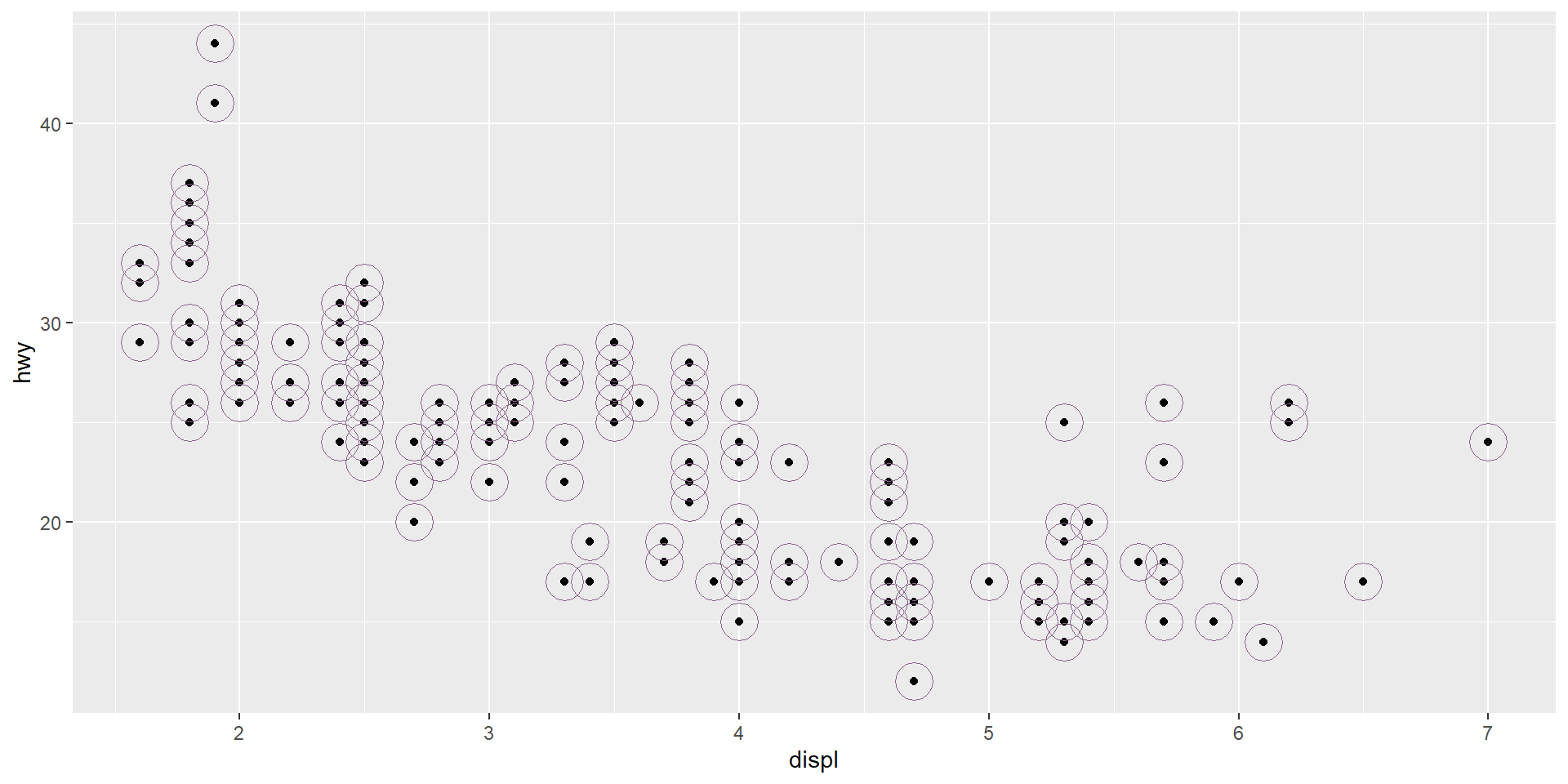
geom_point(
colour = "plum4", # Fixed colour for all points in this layer
size = 8, # Fixed size for all points
shape = 21 # Fixed shape (filled circle)
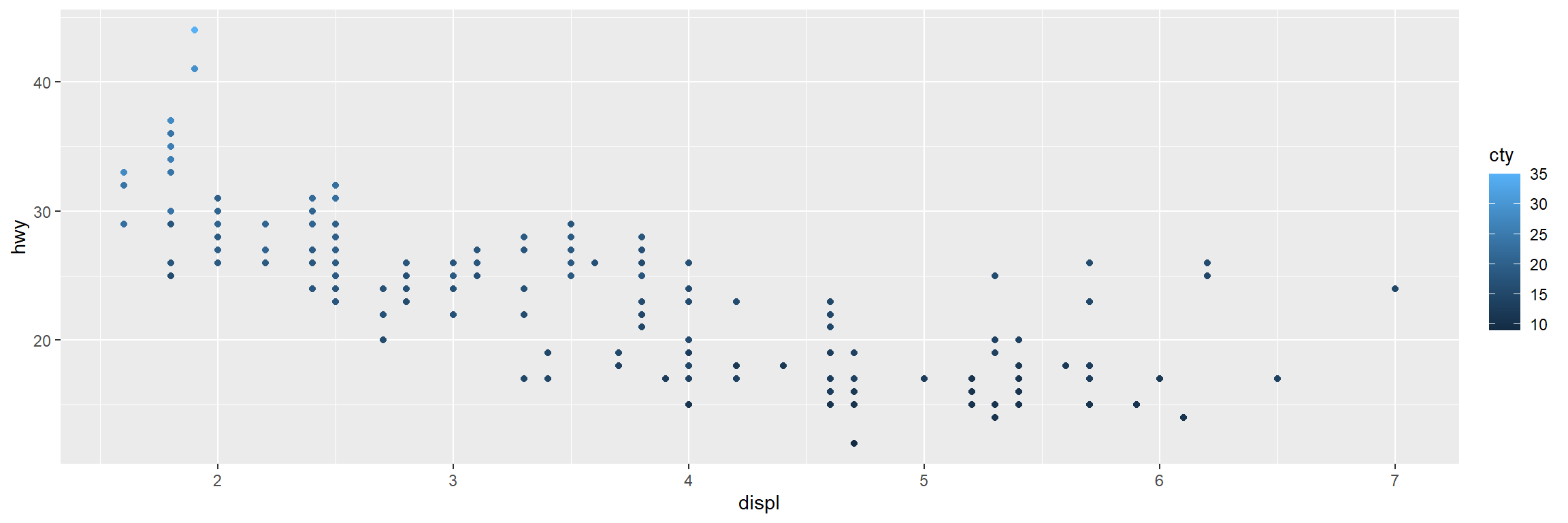
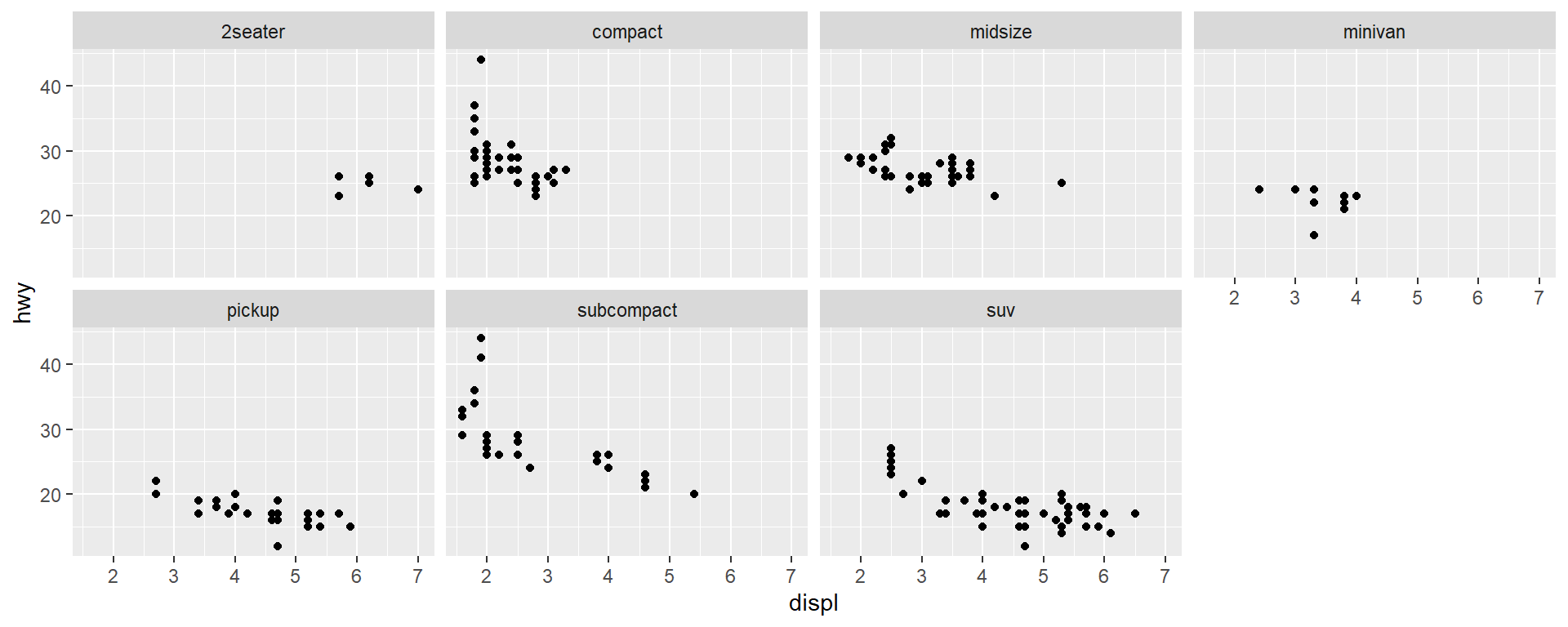
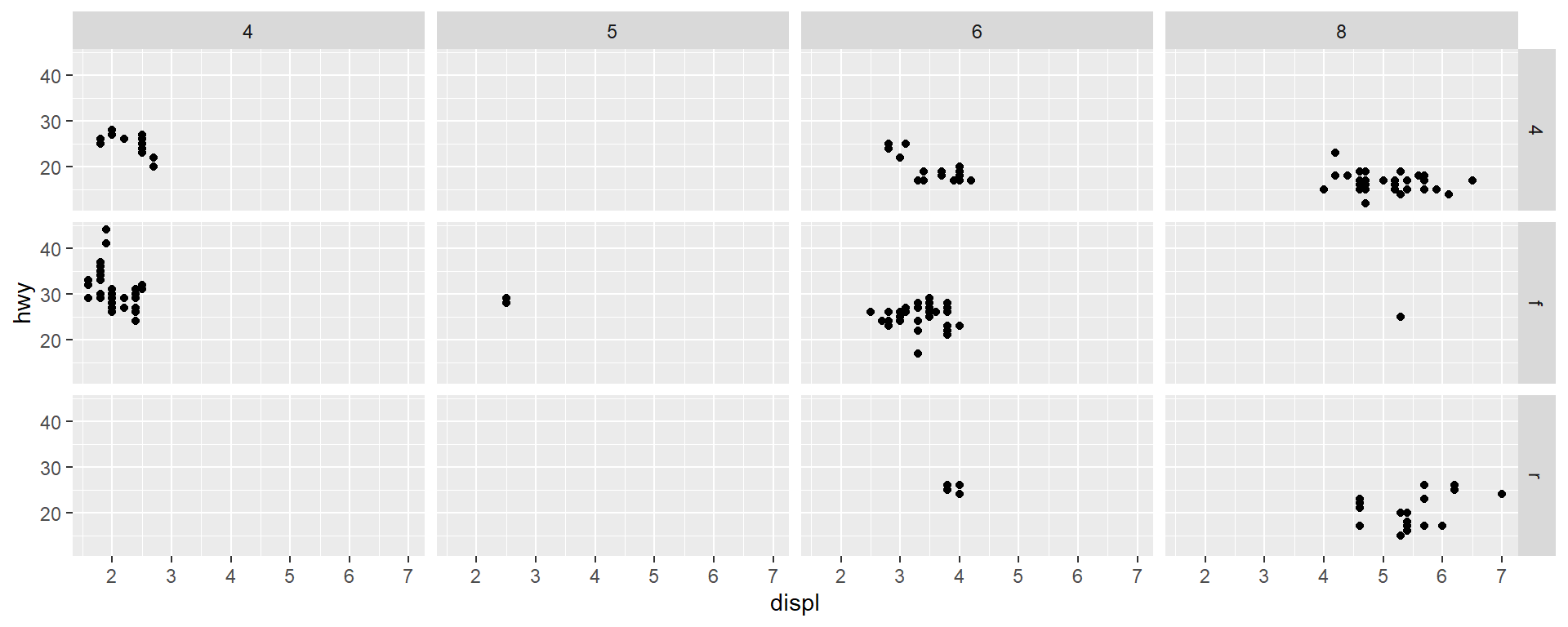
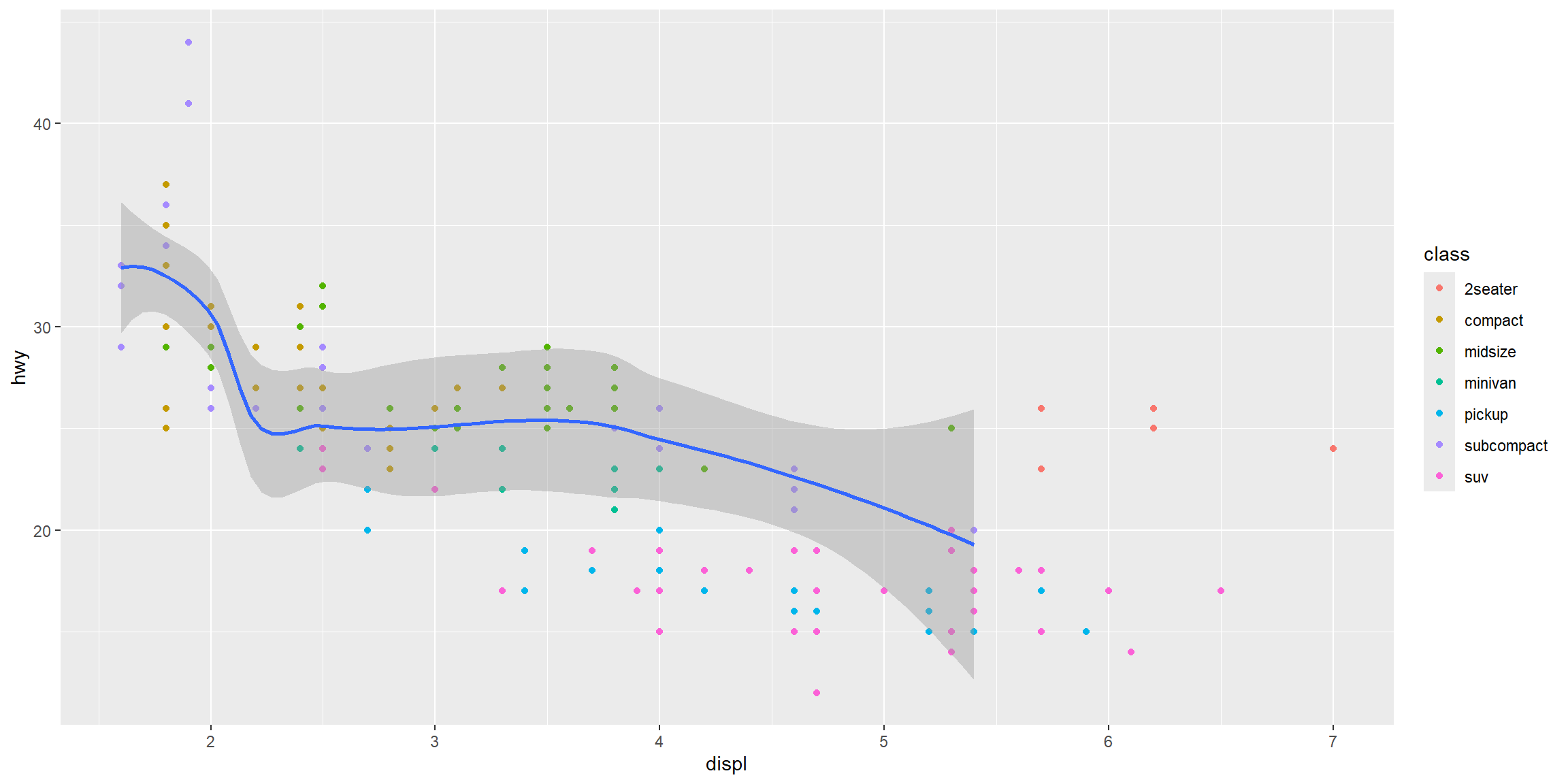
) help for geom_text (?geom_text). What are the required aesthetics?mpgare categorical, and which are continuous? (Hint: use ?mpg to read the dataset documentation). How can you identify this when you run mpg?ggplotdata + aes + geomgeom_point()geom_col()geom_line()geom_text()geom_segment()geom_smooth()geom_bar()geom specific data and aesthetic mappingCompare with mpg plot
library(grid)
library(gridExtra)
# Create scatter plot with points
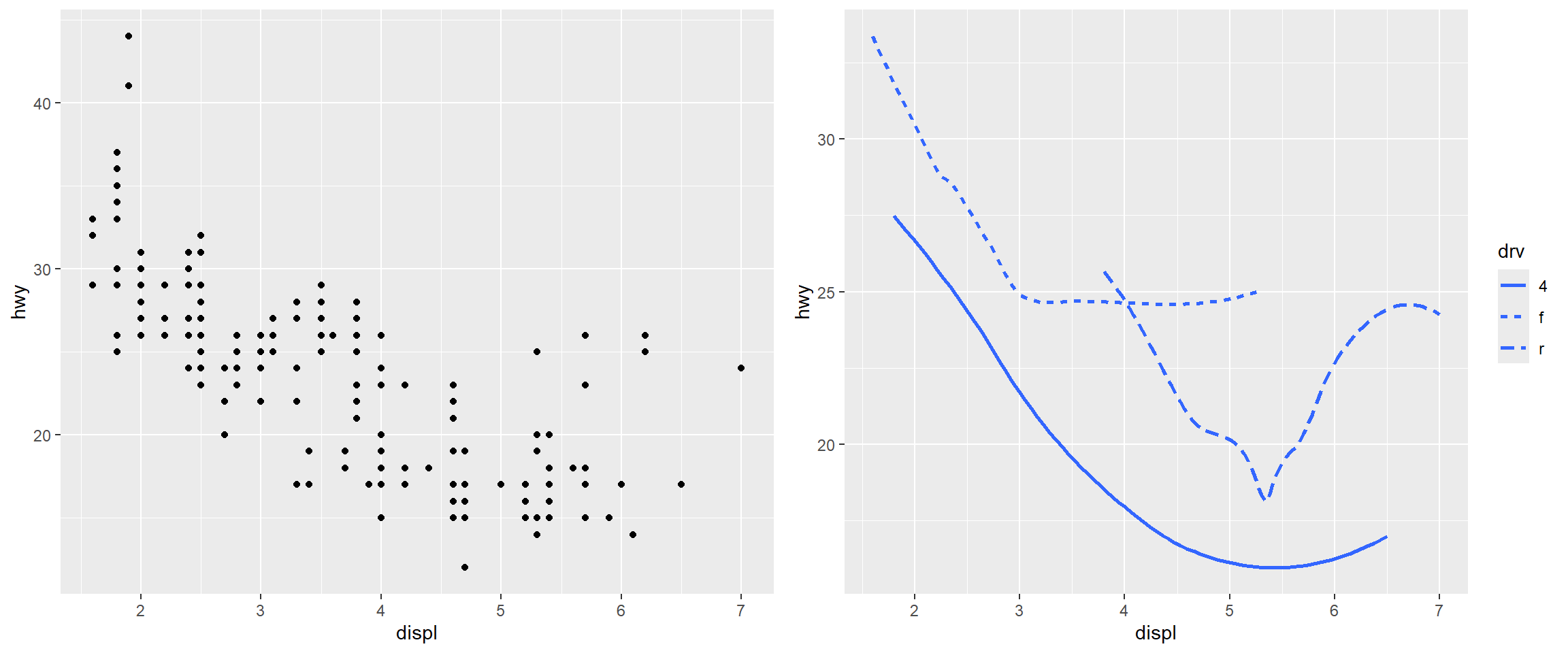
scatter_plot <- ggplot(data = mpg) +
geom_point(mapping = aes(x = displ, y = hwy))
# Create smooth line plot with different linetypes by drive type
smooth_plot <- ggplot(data = mpg) +
geom_smooth(mapping = aes(x = displ, y = hwy, linetype = drv), se = FALSE)
# Arrange both plots side by side
grid.arrange(scatter_plot, smooth_plot, ncol = 2)# Boxplot with default orientation (vertical)
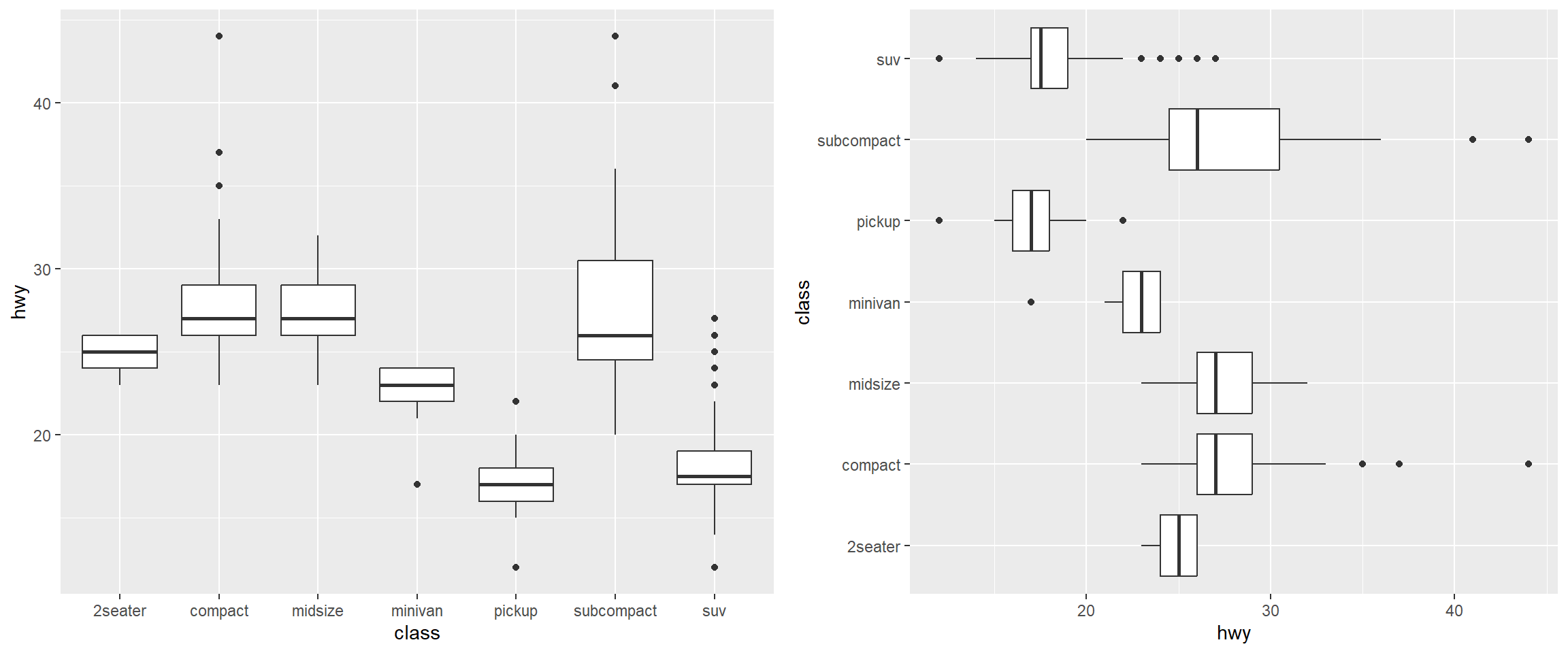
boxplot_vertical <- ggplot(data = mpg, mapping = aes(x = class, y = hwy)) +
geom_boxplot()
# Boxplot with flipped axes (horizontal)
boxplot_horizontal <- ggplot(data = mpg, mapping = aes(x = class, y = hwy)) +
geom_boxplot() +
coord_flip() # switches the x and y axes
# Arrange both plots side by side for comparison
grid.arrange(boxplot_vertical, boxplot_horizontal, ncol = 2)# Create base scatter plot with global aesthetics
mpg_plot <- ggplot(data = mpg) +
aes(x = displ, y = hwy) +
geom_point() +
aes(colour = class) +
# xend and yend are required for geom_segment
# Set endpoints to origin (0, 0) for all segments
aes(xend = 0, yend = 0) +
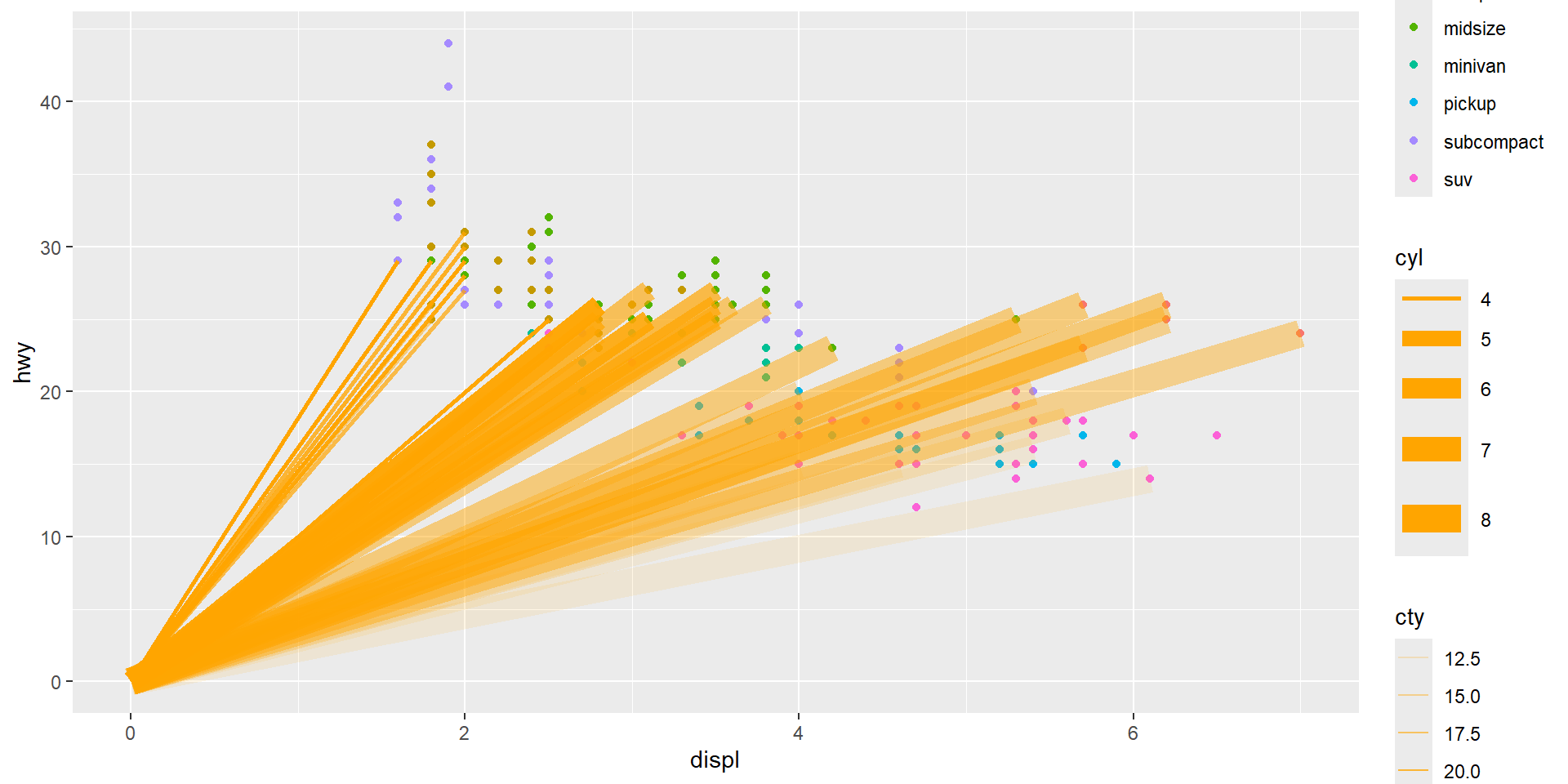
# Add segments layer with local data and aesthetics
# geom_segment() draws a straight line between points (x, y) and (xend, yend)
geom_segment(
# Use local data: only flights with premium fuel (fl == "p")
data = subset(mpg, fl == "p"),
# Local aesthetics: size mapped to cylinders, alpha to city mpg
aes(size = cyl, alpha = cty),
colour = "orange" # Fixed colour for all segments
)# Create base scatter plot
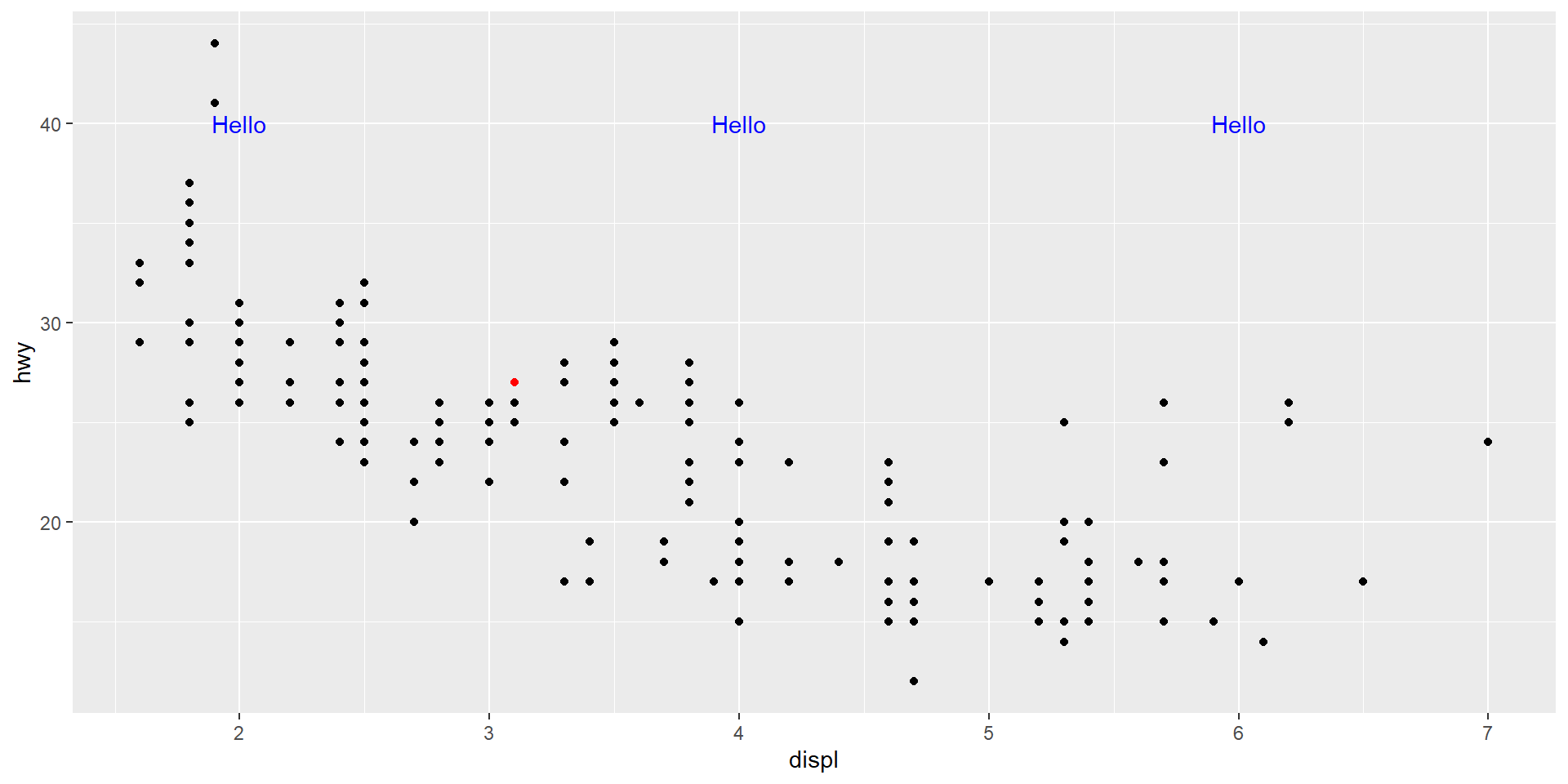
mpg_plot <- ggplot(data = mpg) +
aes(x = displ, y = hwy) +
geom_point() +
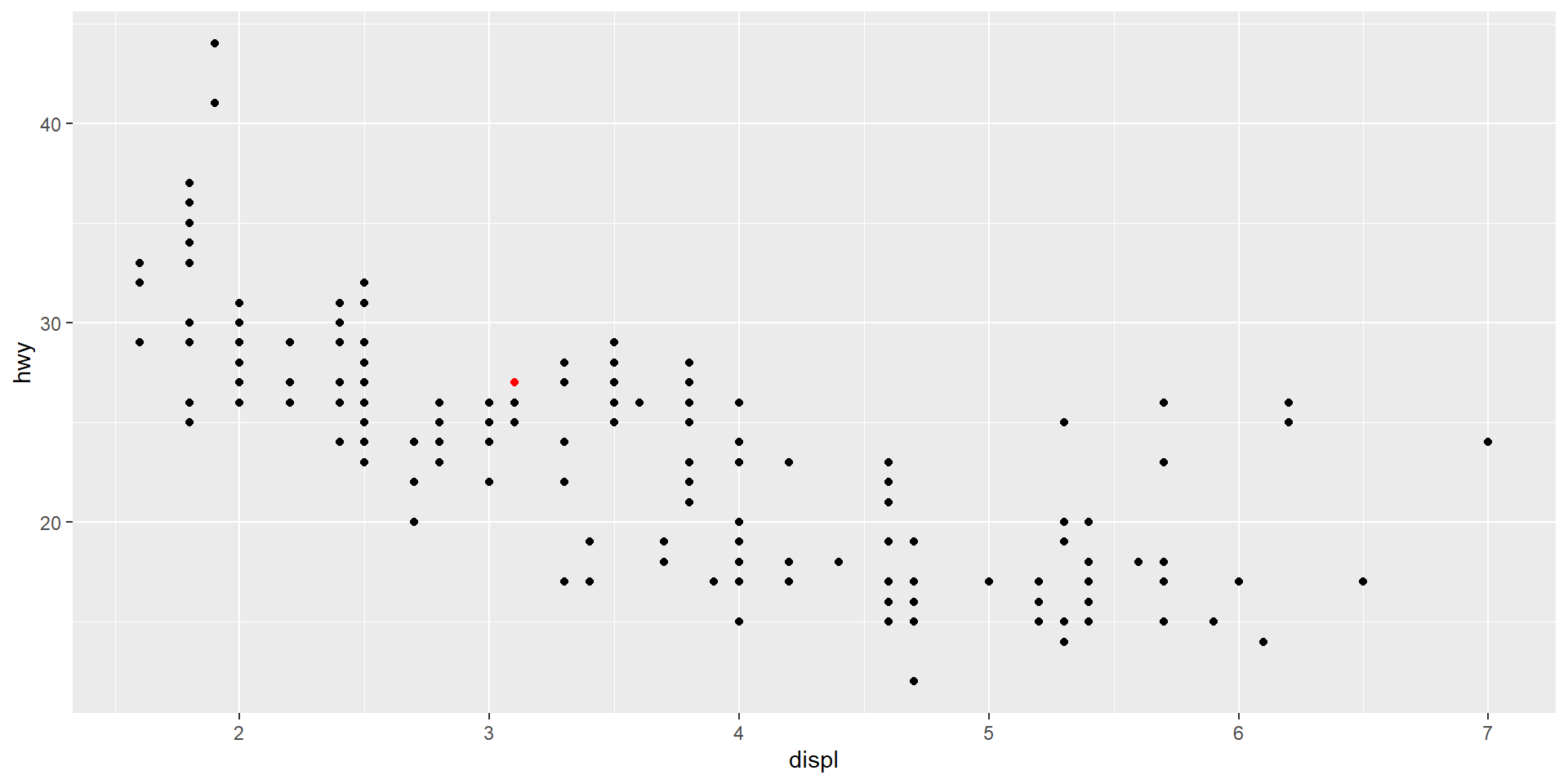
# Add highlighted point annotation
annotate(geom = "point",
x = 3.1, y = 27,
colour = "red") +
# Add text annotations at multiple locations
annotate(geom = "text",
x = c(2, 4, 6), # Multiple x-coordinates
y = 40, # Single y-coordinate (text appears at same height)
label = "Hello",
colour = "blue")# Create base scatter plot
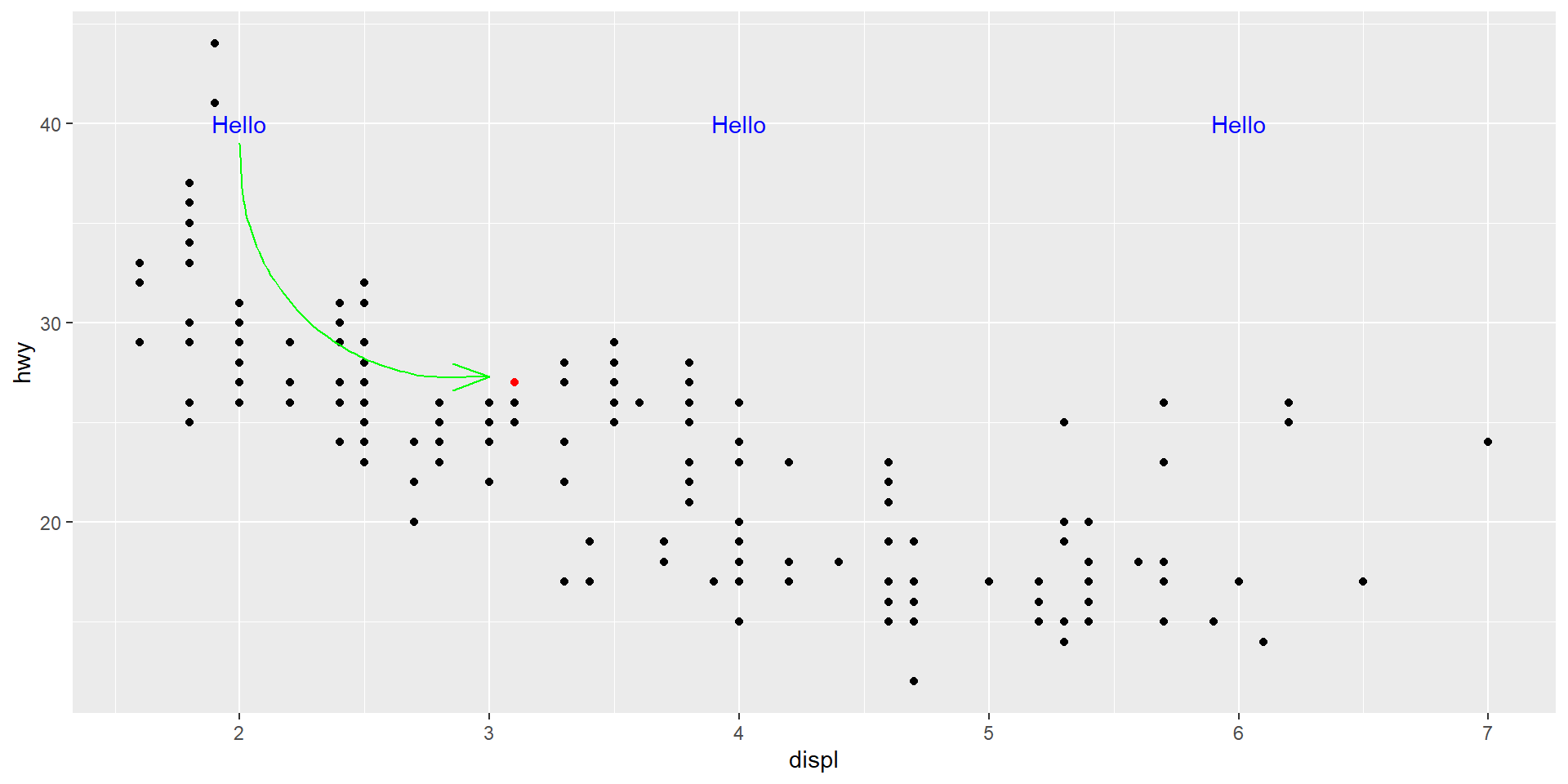
mpg_plot <- ggplot(data = mpg) +
aes(x = displ, y = hwy) +
geom_point() +
# Highlight a specific point
annotate(geom = "point",
x = 3.1, y = 27,
colour = "red") +
# Add text labels
annotate(geom = "text",
x = c(2, 4, 6), y = 40,
label = "Hello",
colour = "blue") +
# Add curved arrow connecting text to point
annotate(geom = "curve",
x = 2, y = 39, # Starting point of arrow
xend = 3, yend = 27.3, # Ending point of arrow
colour = "green",
arrow = arrow(angle = 20)) # Arrow head anglegeom_abline, geom_hline, and geom_vline# Create base scatter plot
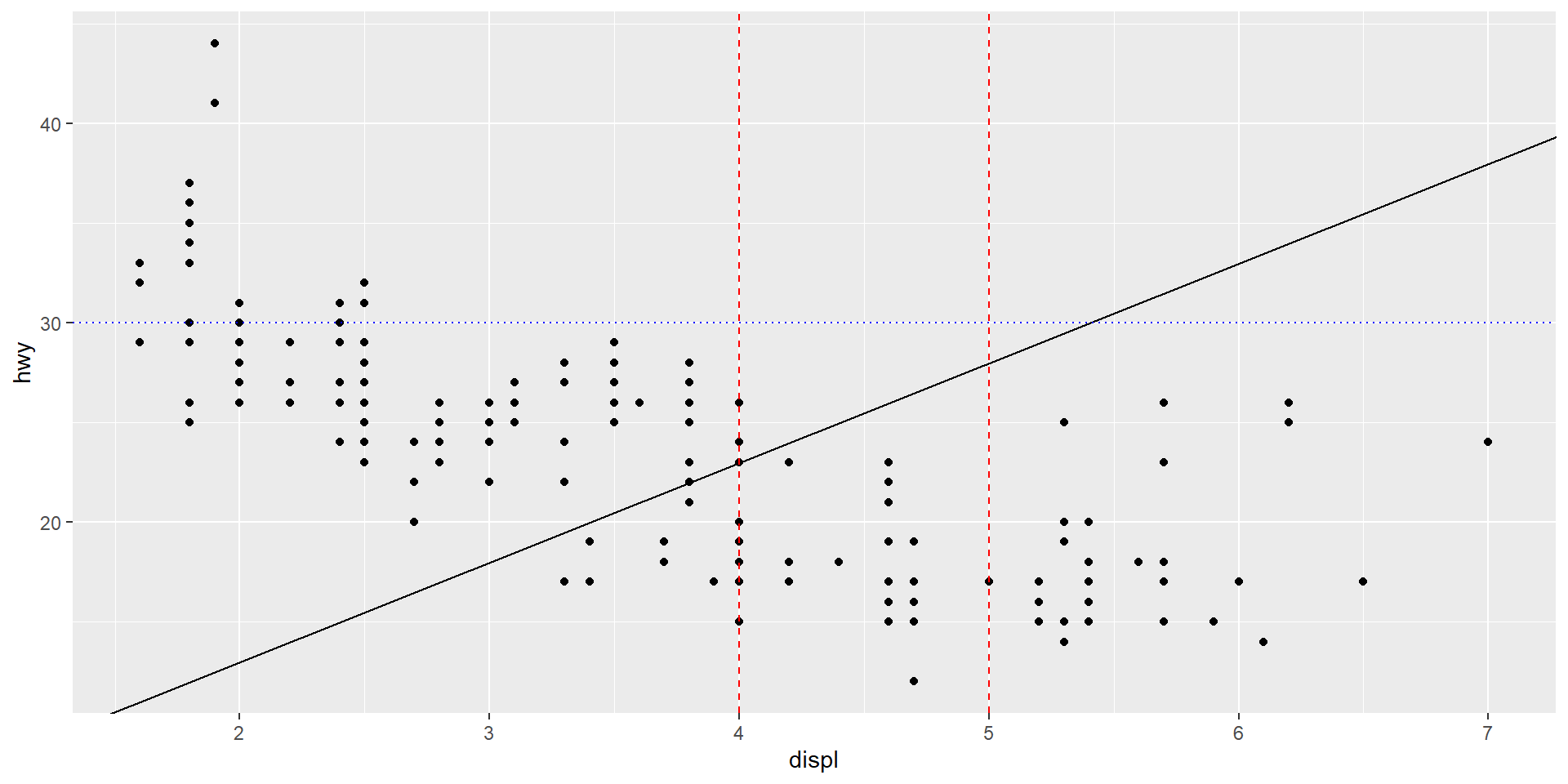
mpg_plot <- ggplot(data = mpg) +
aes(x = displ, y = hwy) +
geom_point() +
# Add reference lines
geom_abline(slope = 5, intercept = 3) + # Diagonal line: y = 5x + 3
geom_hline(yintercept = 30, # Horizontal line at y = 30
linetype = "dotted",
colour = "blue") +
geom_vline(xintercept = c(4, 5), # Vertical lines at x = 4 and x = 5
linetype = "dashed",
colour = "red")aes(colour = displ < 5)? Note: you will also need to specify x and y.